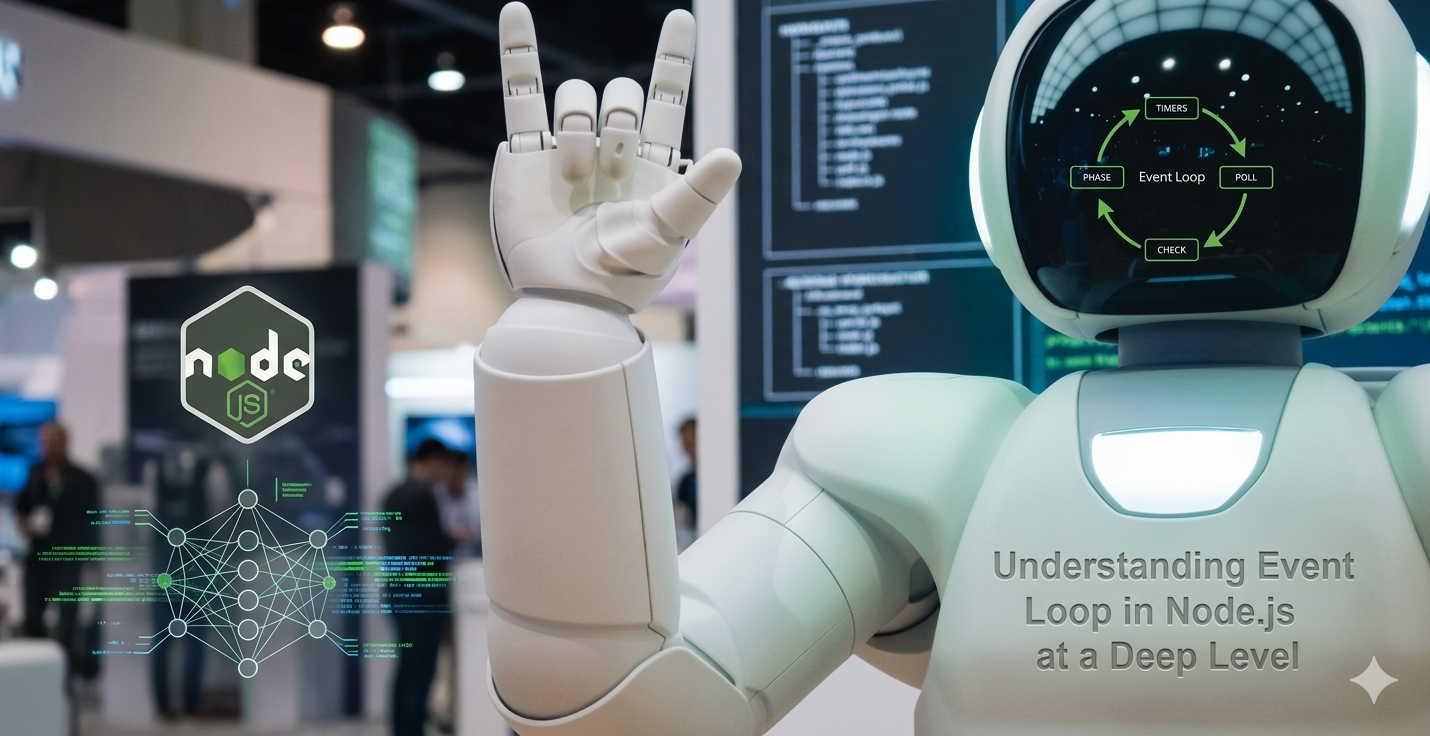
Asynchronous programming and concurrency are among the most misunderstood concepts in modern software development. Developers know they need them — applications must handle thousands of simultaneous users, perform I/O without blocking, and utilize multiple CPU cores efficiently. But the mental models are challenging, the debugging is painful, and the performance characteristics are often counterintuitive.
This post explores the fundamental differences between concurrency, parallelism, and asynchrony. We will examine how different programming languages approach these problems, the common pitfalls that lead to deadlocks and race conditions, and the practical patterns that work in production. Whether you use Python, JavaScript, Go, Rust, or Java, understanding these concepts will transform how you write high-performance systems.
Concurrency vs Parallelism: The Critical Distinction
Most developers use "concurrent" and "parallel" interchangeably. They are different concepts, and confusing them leads to incorrect assumptions about performance.
Concurrency is about structure: multiple tasks making progress during overlapping time periods. The tasks may run on a single core, with the operating system interleaving them. Concurrency is about dealing with many things at once.
Parallelism is about execution: multiple tasks running simultaneously on multiple cores. Parallelism is about doing many things at once.
Concurrency (single core):
Time →
Task A: [=====]     [=====]
Task B:     [=====]     [=====]
Task C:         [=====]
        Interleaved execution

Parallelism (multiple cores):
Core 1: [=============] Task A
Core 2: [=============] Task B
Core 3: [=============] Task C
        Simultaneous execution
The practical implication: Concurrency does not guarantee faster execution. On a single core, concurrent tasks take the same or longer total time than sequential execution due to context switching overhead. Concurrency provides responsiveness — the ability to make progress on multiple tasks without blocking. Parallelism provides throughput — the ability to complete more work per unit time.
Concurrency enables responsiveness. Parallelism enables throughput. They are not the same, and one does not imply the other.
Synchronous vs Asynchronous vs Multithreaded
Understanding the three fundamental models is essential for choosing the right approach.
Synchronous (blocking) execution: Each operation waits for the previous to complete. Simple to reason about. Wastes CPU time during I/O waits.
# Synchronous — blocks on each network call
def fetch_all(urls):
    results = []
    for url in urls:
        response = requests.get(url)  # Blocks for 100-500ms
        results.append(response.json())
    return results
# With 100 URLs at 200ms each: 20 seconds total
Multithreaded execution: Each operation runs in a separate thread. The OS scheduler interleaves threads. Effective for CPU-bound work and blocking I/O. High memory overhead per thread (1-8MB stack). GIL limitations in CPython.
# Multithreaded — concurrent network calls
from concurrent.futures import ThreadPoolExecutor

def fetch_all_threads(urls):
    with ThreadPoolExecutor(max_workers=50) as executor:
        results = list(executor.map(requests.get, urls))
    return results
# With 100 URLs: ~200ms total (all concurrent)
# Memory: 50 threads × 8MB = 400MB overhead
Asynchronous (non-blocking) execution: Single-threaded event loop. Operations yield control during I/O waits. Low memory overhead (kilobytes per task). No GIL limitation. Requires async/await syntax and non-blocking libraries.
# Asynchronous — single-threaded concurrency
import asyncio
import aiohttp

async def fetch_one(session, url):
    async with session.get(url) as response:
        return await response.json()

async def fetch_all_async(urls):
    async with aiohttp.ClientSession() as session:
        tasks = [fetch_one(session, url) for url in urls]
        return await asyncio.gather(*tasks)
# With 100 URLs: ~200ms total
# Memory: One thread (~8MB) + task objects (~50KB each)
Comparison table:

              Synchronous  Multithreaded  Asynchronous
              -----------  -------------  ------------
I/O waiting   Wastes CPU    Wastes CPU    No waste
CPU-bound     Good          Good          Bad (blocks event loop)
Memory per task None        1-8 MB        1-10 KB
Concurrency   None          OS threads    User tasks
Debugging     Easy          Hard          Medium
Context switch overhead None   OS-level    Minimal
The Event Loop: Heart of Asynchronous Systems
The event loop is a programming construct that waits for events and dispatches them to handlers. It is the foundation of Node.js, asyncio (Python), and most GUI frameworks.
How an event loop works:
# Simplified event loop implementation
class EventLoop:
    def __init__(self):
        self.task_queue = []      # Ready to run
        self.waiting_tasks = {}   # Waiting for I/O

    def run(self):
        while self.has_tasks():
            # 1. Run all ready tasks
            while self.task_queue:
                task = self.task_queue.pop(0)
                self.run_task(task)  # Runs until await or completion

            # 2. Wait for I/O events (using epoll/kqueue/IOCP)
            ready_fds = self.wait_for_io(self.waiting_tasks.keys())

            # 3. Resume tasks whose I/O is ready
            for fd in ready_fds:
                task = self.waiting_tasks.pop(fd)
                self.task_queue.append(task)
The async/await transformation:
The compiler transforms async functions into state machines. Each await becomes a suspension point where the function yields control back to the event loop.
# Original async function
async def fetch_data():
    a = await fetch_a()
    b = await fetch_b()
    return a + b

# Conceptually transformed into:
class FetchDataTask:
    def __init__(self):
        self.state = 0
        self.a = None
        self.b = None

    def step(self):
        if self.state == 0:
            self.task = fetch_a()
            self.state = 1
            return self.task  # Yield
        elif self.state == 1:
            self.a = self.task.result()
            self.task = fetch_b()
            self.state = 2
            return self.task
        elif self.state == 2:
            self.b = self.task.result()
            return self.a + self.b
The Event Loop in Different Languages
Each language implements the event loop differently, with distinct trade-offs.
Node.js (JavaScript): Single-threaded event loop with worker threads for CPU-bound tasks. Uses libuv for cross-platform I/O. Excellent for I/O-heavy workloads. Poor for CPU-bound operations.
// Node.js event loop phases (simplified)
// 1. Timers: setTimeout, setInterval
// 2. Pending callbacks: I/O callbacks
// 3. Idle, prepare: internal use
// 4. Poll: retrieve new I/O events
// 5. Check: setImmediate
// 6. Close: close handlers

// Microtasks (Promises, nextTick) run between phases
console.log('1');
setTimeout(() => console.log('2'), 0);
Promise.resolve().then(() => console.log('3'));
process.nextTick(() => console.log('4'));
console.log('5');
// Output: 1, 5, 4, 3, 2
Python asyncio: Similar event loop model but with different defaults. The GIL remains but does not block async I/O. CPU-bound work still needs multiprocessing.
import asyncio

async def main():
    # Run multiple coroutines concurrently
    results = await asyncio.gather(
        fetch("https://api1.example.com"),
        fetch("https://api2.example.com"),
        fetch("https://api3.example.com"),
    )

    # With timeout
    try:
        result = await asyncio.wait_for(fetch("slow.com"), timeout=5.0)
    except asyncio.TimeoutError:
        print("Timeout!")

asyncio.run(main())
Go goroutines: Not exactly an event loop. Goroutines are lightweight threads (2KB stack) multiplexed onto OS threads by the Go runtime. The runtime uses a netpoller for network I/O that behaves similarly to an event loop.
func main() {
    // Goroutines are cheap — you can create millions
    for i := 0; i < 1000000; i++ {
        go handleRequest(i)
    }

    // Channels provide communication
    ch := make(chan int)
    go func() { ch <- 42 }()
    value := <-ch

    // Select for multi-channel operations
    select {
    case msg1 := <-ch1:
        fmt.Println(msg1)
    case msg2 := <-ch2:
        fmt.Println(msg2)
    case <-time.After(1 * time.Second):
        fmt.Println("Timeout")
    }
}
Rust async: Zero-cost abstractions. The async runtime (tokio, async-std) is not built into the language. No garbage collection. Compiler-enforced safety for concurrency.
use tokio::time;

#[tokio::main]
async fn main() {
    // Spawn multiple tasks
    let handles: Vec<_> = (0..10).map(|i| {
        tokio::spawn(async move {
            time::sleep(time::Duration::from_millis(100)).await;
            i * 2
        })
    }).collect();

    // Wait for all
    for handle in handles {
        let result = handle.await.unwrap();
        println!("{}", result);
    }
}
Common Concurrency Problems and Solutions
Race conditions occur when multiple threads access shared data without synchronization.
# RACE CONDITION — DO NOT USE
counter = 0

def increment():
    global counter
    # This is NOT atomic!
    # Read counter (1)
    # Add 1 (2)
    # Write counter (3)
    # Two threads can interleave between steps
    counter += 1

# With 1000 threads, counter may be <1000
# SOLUTION: Lock, atomic, or message passing
import threading

counter = 0
lock = threading.Lock()

def increment_safe():
    global counter
    with lock:
        counter += 1  # Protected by mutex

# Or use message passing (channels, queues)
Deadlocks occur when two or more threads wait indefinitely for resources held by each other.
# DEADLOCK — Threads acquire locks in different orders
def thread1():
    with lock_a:
        with lock_b:  # A then B
            do_work()

def thread2():
    with lock_b:
        with lock_a:  # B then A — opposite order!
            do_work()
# Thread1 holds A, waits for B
# Thread2 holds B, waits for A
# Deadlock forever
# SOLUTION: Consistent lock ordering
def thread1():
    with lock_a:
        with lock_b:  # A then B
            do_work()

def thread2():
    with lock_a:      # A then B — same order
        with lock_b:
            do_work()
# No deadlock
Starvation occurs when a thread never gets CPU time because higher-priority threads consume all resources.
Priority inversion occurs when a low-priority thread holds a lock needed by a high-priority thread, and a medium-priority thread preempts the low-priority thread, blocking the high-priority thread indefinitely.
Priority inversion example:

High priority (H): needs lock L
Medium priority (M): CPU-bound, no lock
Low priority (L): holds lock L

Sequence:
1. L acquires lock L
2. H preempts L, tries to acquire L (blocked)
3. M preempts H (same priority as H? depends on scheduler)
4. M runs forever, L never runs to release lock
5. H never runs — effectively blocked by lower priority M

Solution: Priority inheritance protocol (mutexes inherit priority of blocked waiters)
The GIL (Global Interpreter Lock) in CPython prevents multiple threads from executing Python bytecode simultaneously. This makes threading useless for CPU-bound work but still useful for I/O-bound work (because I/O releases the GIL).
# CPU-bound — GIL causes threading to be slower!
def cpu_intensive():
    total = 0
    for i in range(100_000_000):
        total += i * i
    return total

# Threads: GIL serializes execution (worse than single thread due to overhead)
# Solution: Use multiprocessing for CPU-bound work
from multiprocessing import Pool

with Pool() as pool:
    results = pool.map(cpu_intensive, range(8))  # True parallelism
Async Patterns for Production Systems
Structured concurrency ensures that tasks have clear lifetimes and are not leaked.
# Bad — task may outlive its context
async def bad_pattern():
    task = asyncio.create_task(long_running())
    # If exception occurs here, task continues forever
    return "done"

# Good — task lifetime is bounded
async def good_pattern():
    async with asyncio.TaskGroup() as tg:
        task = tg.create_task(long_running())
        # All tasks in group complete before exiting
    return "done"
Timeout all operations — Operations without timeouts can hang forever.
# Every async operation should have a timeout
async def fetch_with_timeout(session, url):
    try:
        async with asyncio.timeout(5.0):  # 5 second timeout
            return await session.get(url)
    except asyncio.TimeoutError:
        return fallback_response()
Backpressure prevents overload by signaling to upstream systems when downstream cannot keep up.
# Bounded queue provides backpressure
from asyncio import Queue

work_queue = Queue(maxsize=100)  # Blocks when full

async def producer():
    for item in range(1000):
        await work_queue.put(item)  # Backpressure when queue full

async def consumer():
    while True:
        item = await work_queue.get()  # Backpressure when empty
        await process(item)
Cancellation propagation ensures that cancelling a parent task cancels all children.
async def cancellable_work():
    try:
        async with asyncio.TaskGroup() as tg:
            tg.create_task(subtask1())
            tg.create_task(subtask2())
            # Cancelling the parent cancels both subtasks
    except asyncio.CancelledError:
        # Clean up resources
        await cleanup()
        raise  # Re-raise to propagate cancellation
Choosing the Right Concurrency Model
| Workload Type | Recommended Model | Why |
|---|
| I/O-bound, high concurrency (web server) | Async/await (single-threaded event loop) | Low memory per connection, high throughput |
| I/O-bound, legacy code | Threads | Simpler mental model, no async rewrite needed |
| CPU-bound, data parallel (image processing) | Multiprocessing | Bypasses GIL, true parallelism |
| CPU-bound, task parallel | Threads + efficient runtime (Go, Rust, Java) | Lower overhead than processes |
| Mixed I/O and CPU | Async + thread pool | Event loop for I/O, offload CPU work to pool |
| Real-time, low latency | Careful threading with priority | Async event loops have unpredictable latency |
Final Thoughts
Asynchronous programming and concurrency are essential tools for modern software systems. They enable the scalability and responsiveness that users expect. But they come with real complexity — race conditions, deadlocks, starvation, and subtle performance characteristics that defy intuition.
The best approach depends on your workload. I/O-bound systems benefit enormously from async/await event loops. CPU-bound systems need parallelism, either through threads (in languages without GIL) or processes (in Python). Mixed workloads often combine models: an event loop for I/O with a thread pool for CPU work.
The most important advice: measure before optimizing. Concurrency adds complexity. Adding threads to a CPU-bound Python program makes it slower. Adding async to a simple CRUD app adds maintenance cost without benefit. Understand your bottlenecks, choose the right model, and validate with production data.
When you do use concurrency, embrace structured patterns. Timeout all operations. Use bounded queues for backpressure. Handle cancellation gracefully. Test race conditions with tools like tsan (ThreadSanitizer). And remember: simplicity is a feature. The most concurrent system is the one that never needs to be debugged at 3 AM.